Complete Disconnect
- Allow any running Toolbox 3 routines to complete.
- In Toolbox 3, click the green circle in the upper right corner to open the connection window.
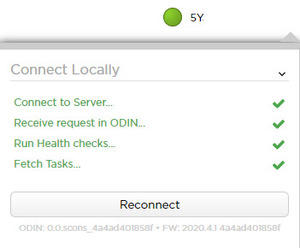 Courtesy of TESLA, INC. Courtesy of TESLA, INC.
|
- Click Disconnect
, and then click the grey circle to close the connection window.
- Disconnect the vehicle interface cable from the vehicle interface connector and from the laptop.
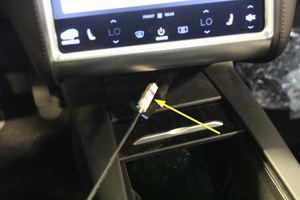 Courtesy of TESLA, INC. Courtesy of TESLA, INC.
|
- Install the cubby to under the Media Control Unit.
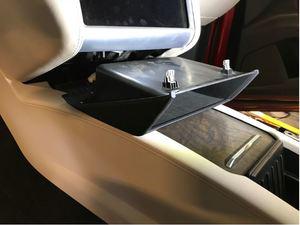 Courtesy of TESLA, INC. Courtesy of TESLA, INC.
|
- Return to the procedure that required disconnection of the laptop with Toolbox 3 from the vehicle.