Removal Procedure
- Remove the left coat hook. Refer to COAT HOOK REPLACEMENT
in Interior Trim.
NOTE:
In order to avoid damaging the antenna lead connector, follow these guidelines:
- Use a plastic tool and carefully pry the connector from the window.
- Do NOT pull on the connector, which may be stuck to the urethane adhesive or the headliner.
- Disconnect the radio antenna module electrical connector from the stationary glass.
- Release the rear headliner to roof retainers.
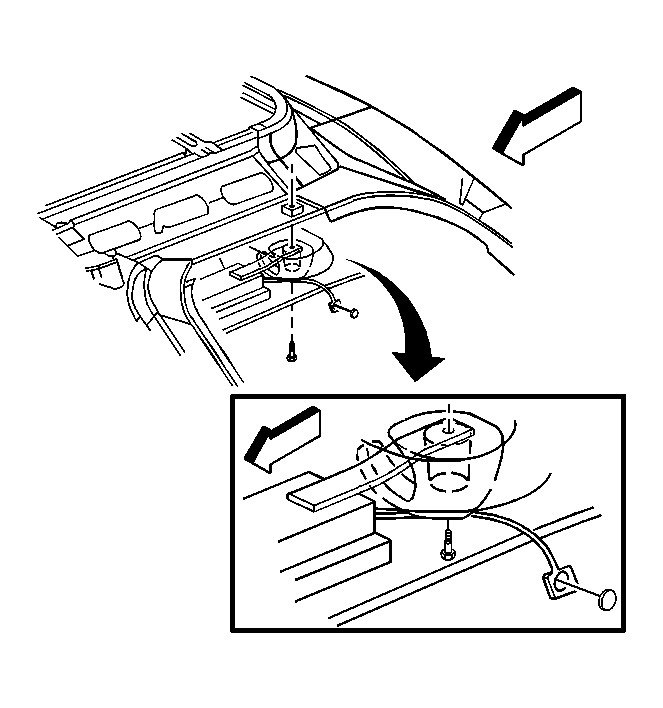 Courtesy of GENERAL MOTORS CORP.
- Lower the rear of the headliner far enough to access the radio antenna module located on the left side of the vehicle.
- Disconnect the electrical connector from the radio antenna module.
- Disconnect the coax cable from the radio antenna module.
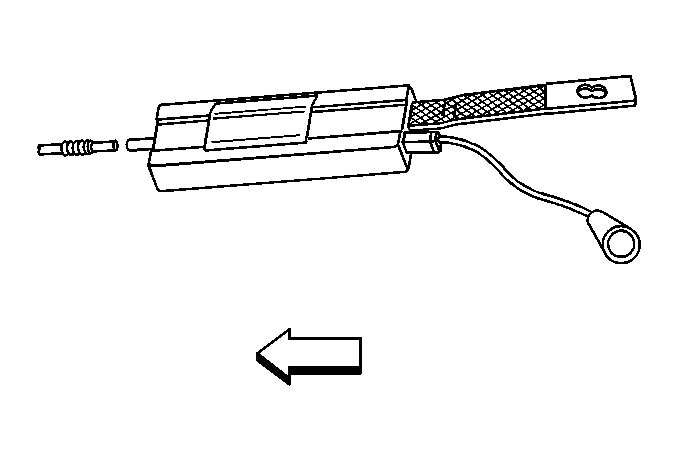 Courtesy of GENERAL MOTORS CORP.
- Remove the radio antenna module from the headliner retaining strips.
- Remove the radio antenna module from the vehicle.