How To Terminate The Service Mode
WARNING: This page is about a different variant/trim than selected.
Refer to DIAGNOSIS
.
.
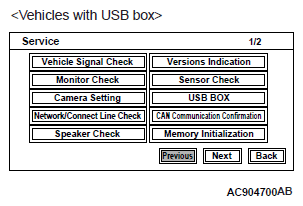
- Select "USB BOX" on "Service" screen.
 Courtesy of MITSUBISHI MOTOR SALES OF AMERICA.
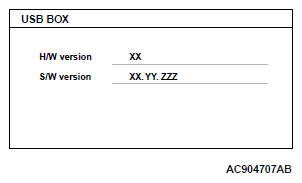
- Displays the version information of the USB box.
NOTE:
- H/W version: The hardware version information of the USB box is displayed in 2 digits.
- S/W version: The software version information of the USB box is displayed in 7 digits.
 Courtesy of MITSUBISHI MOTOR SALES OF AMERICA.