Diamante (With Traction Control)
- If using scan tool, connect scan tool to OBD-II Data Link Connector (DLC) located below instrument panel, to right of steering column. See Figure. If using voltmeter, disconnect TP sensor connector. Connect a test harness set between TP sensor connector and TP sensor. See Fig 1. Connect voltmeter leads to Throttle Position (TP) sensor terminals No. 3 (sensor output) and No. 1 (sensor ground). See Figure. Go to next step.
- Turn ignition on. Using scan tool or voltmeter, check TP sensor output voltage. TP sensor output voltage should be 535-735 millivolts. If TP sensor voltage is not within specifications, go to next step.
- Loosen TP sensor mounting bolts. Turn TP sensor body until TP sensor output voltage is within specified range. Hold TP sensor in position and tighten TP sensor mounting bolts. Turn ignition off.
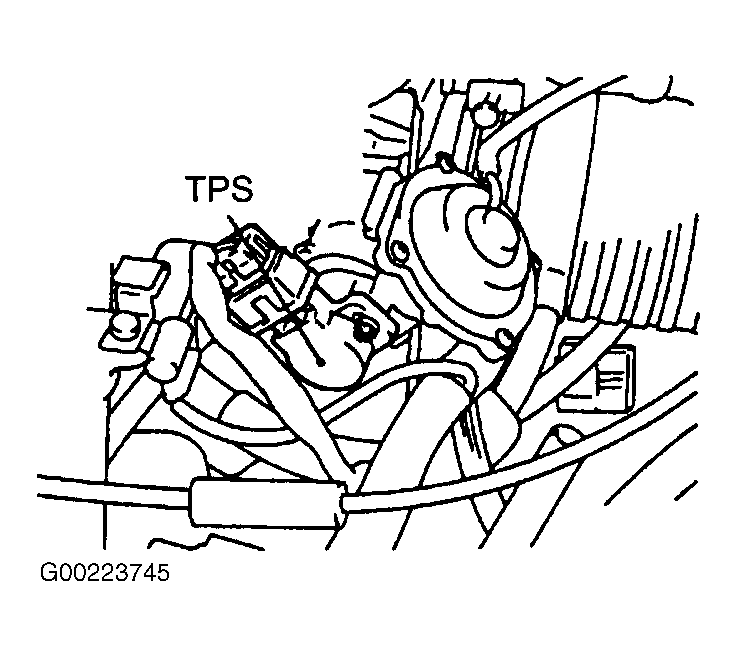 Courtesy of MITSUBISHI MOTOR SALES OF AMERICA.