Hardtop (Hatchback) Models
- Start the engine, but do not start driving.
- Briefly press the button at the end of the turn indicator lever repeatedly until the message "SET/INFO" is displayed in the instrument cluster. See Fig 1.
- Press and hold the button until the display changes.
- Briefly press the button repeatedly until the TPMS symbol and the message "RESET" are displayed.
- Press and hold the button until the display changes.
- Drive vehicle. Initialization is automatically completed during the drive, without any additional feedback.
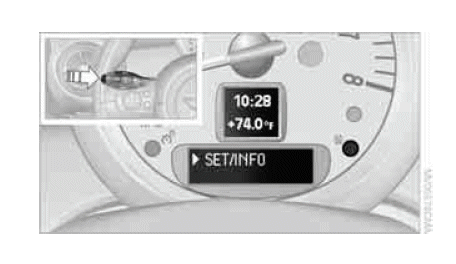 Courtesy of BMW OF NORTH AMERICA, INC.