Solenoid Valve Oil-Pressure Characteristics Input Procedure
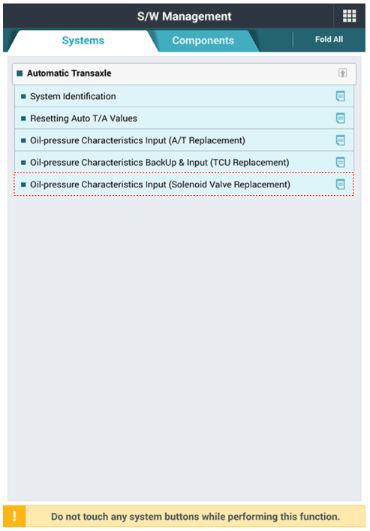
- Perform the oil-pressure characteristics input procedure using the KDS.
 Courtesy of KIA MOTORS AMERICA, INC.
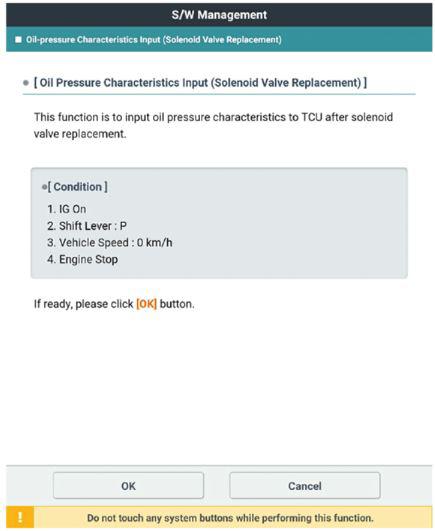
- Click the "OK" button after checking the condition.
 Courtesy of KIA MOTORS AMERICA, INC.
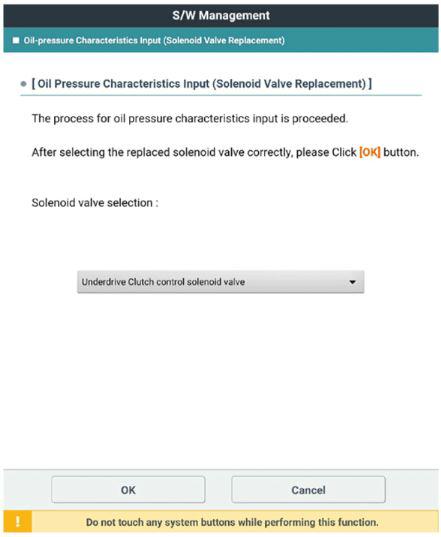
- Click the "OK" button after selecting the replaced solenoid valve.
 Courtesy of KIA MOTORS AMERICA, INC.
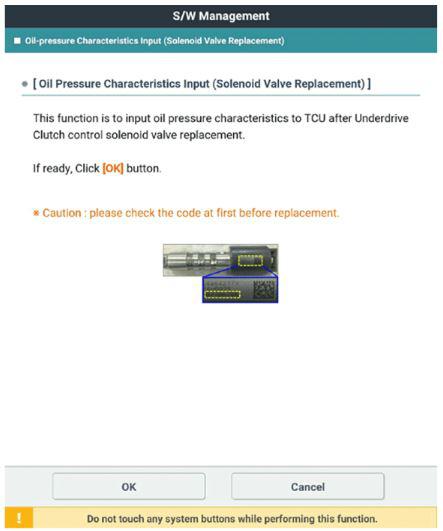
- Check the code that was recorded before installing the new solenoid valve.
 Courtesy of KIA MOTORS AMERICA, INC.
- Click the "OK" button after inputting oil pressure characteristics for the replaced solenoid valve.
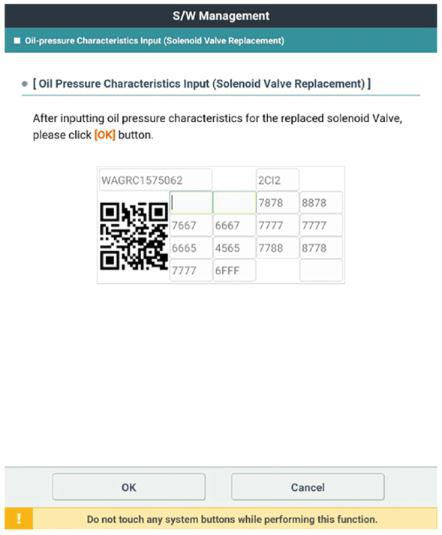 Courtesy of KIA MOTORS AMERICA, INC.