Starting Procedure
- Start the engine.
- Turn the audio system OFF.
- While pressing the "SETTING" button, turn the volume control dial clockwise or counterclockwise for 40 clicks or more. (When the self-diagnosis mode is started, a short beep will be heard.)
- Shifting from current screen to previous screen is performed by pressing "BACK" button.
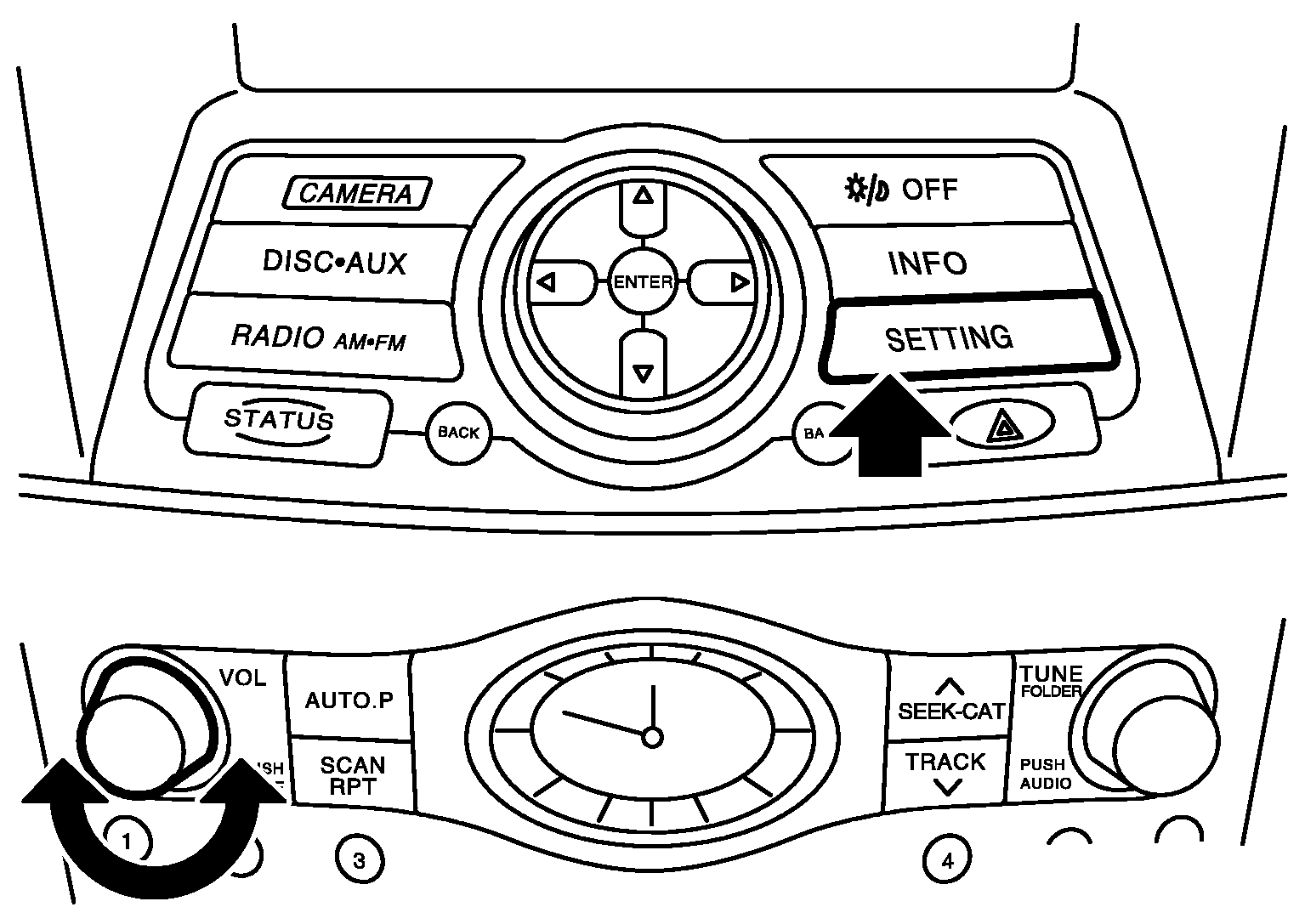 Courtesy of NISSAN NORTH AMERICA, INC.
- The trouble diagnosis initial screen is displayed, and then the items of "Self Diagnosis" and "Confirmation/Adjustment" can be selected.
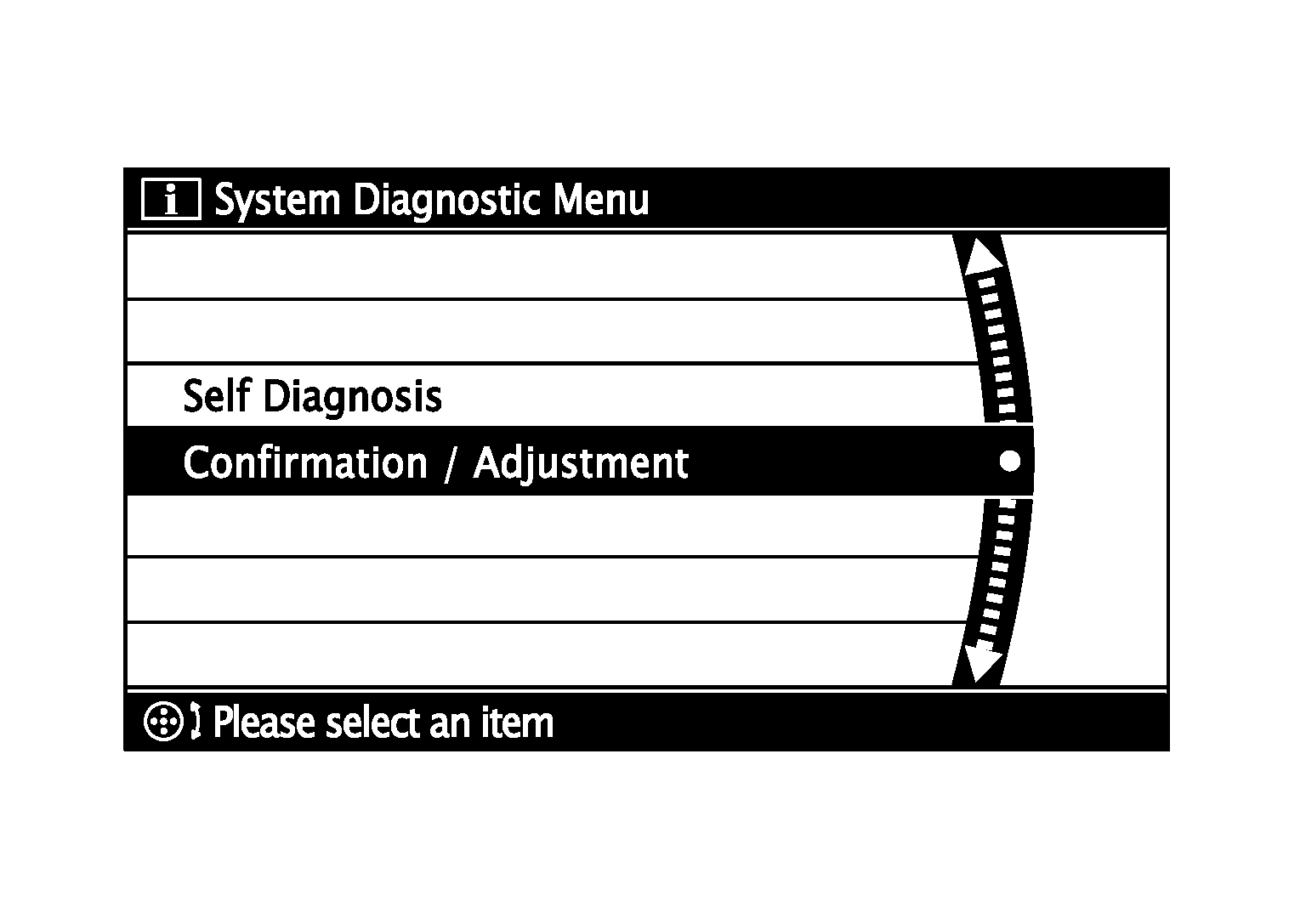 Courtesy of NISSAN NORTH AMERICA, INC.