Transmitter Code Registration (Using GDS)
- Connect the DLC cable of GDS to the data link connector (16 pins) in driver side crash pad lower panel, turn the power on GDS.
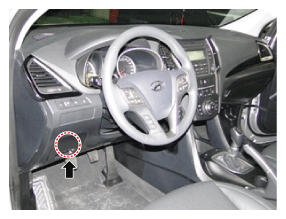 Courtesy of HYUNDAI MOTOR AMERICA
- Select the vehicle model and then do "Code Saving"
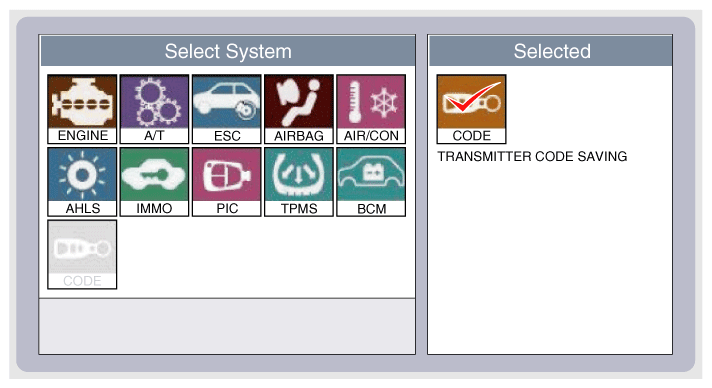 Courtesy of HYUNDAI MOTOR AMERICA
- After selecting "Code Saving" menu, button "ENTER" key, then the screen will be displayed below.
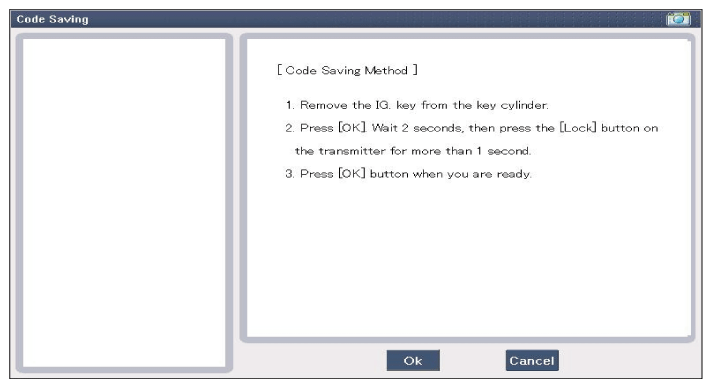 Courtesy of HYUNDAI MOTOR AMERICA
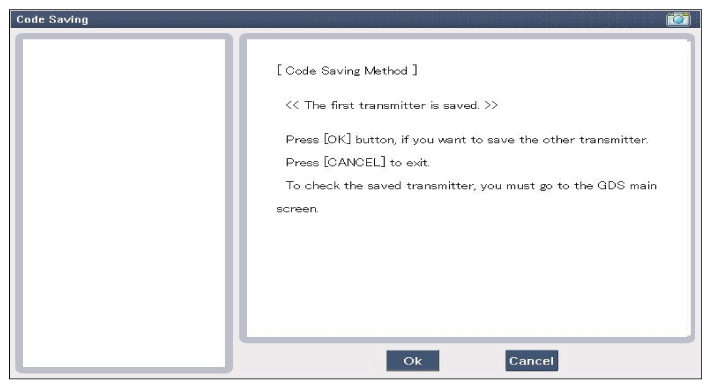
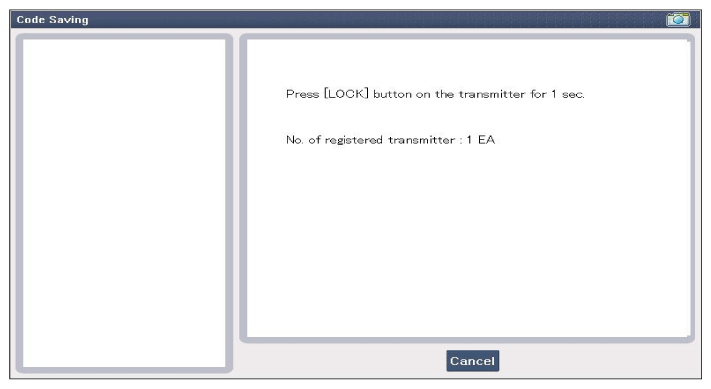
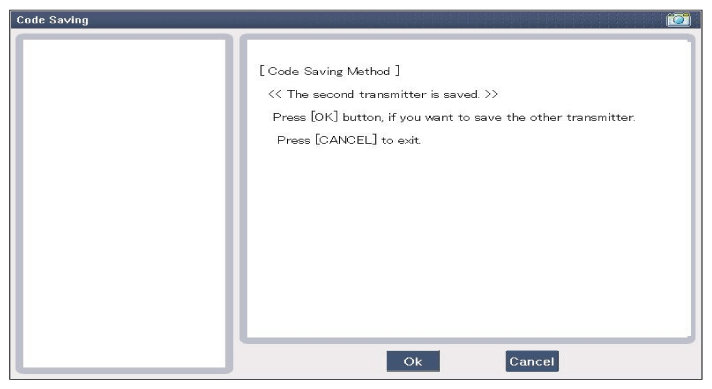
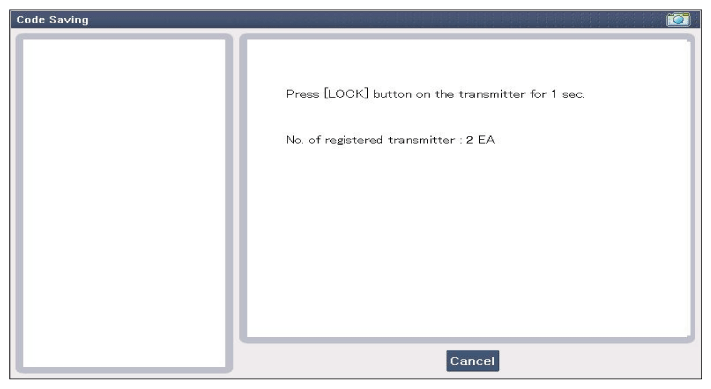
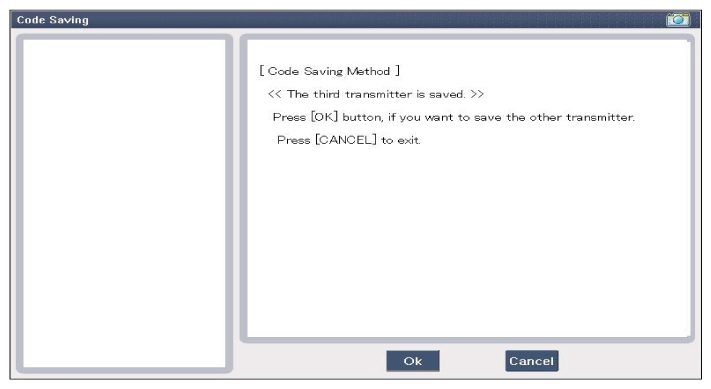
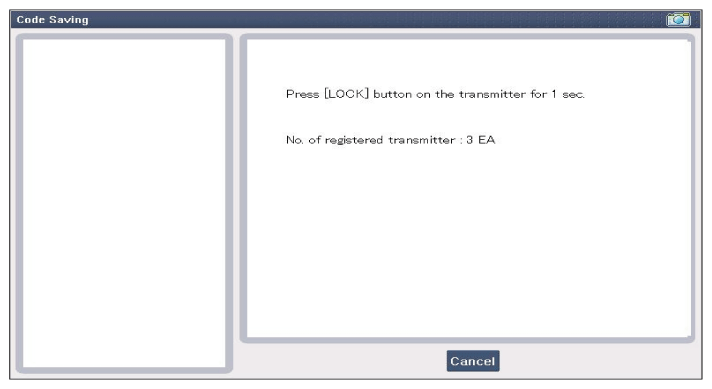
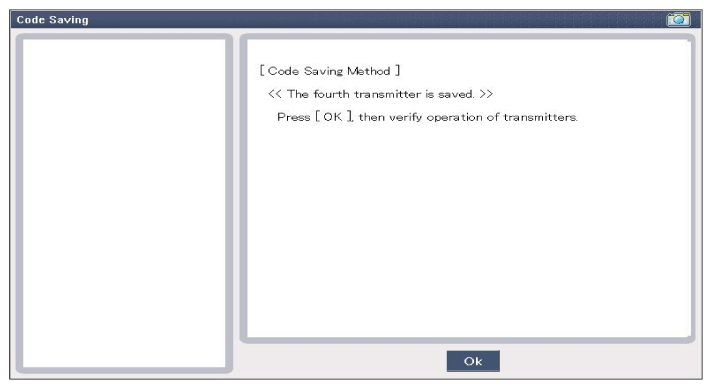
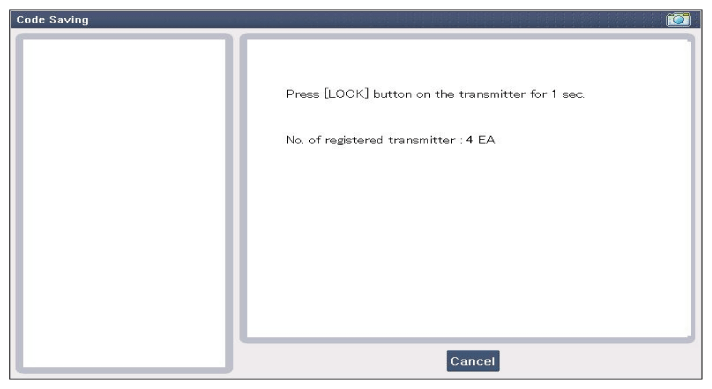
- After removing the ignition key from key cylinder, push "ENTER" key to proceed to the next mode for code saving. Follow steps 1 to 4 and then code saving is completed.
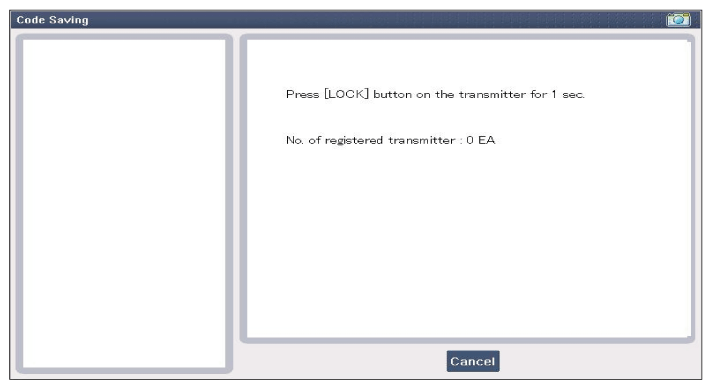 Courtesy of HYUNDAI MOTOR AMERICA
 Courtesy of HYUNDAI MOTOR AMERICA
 Courtesy of HYUNDAI MOTOR AMERICA
 Courtesy of HYUNDAI MOTOR AMERICA
 Courtesy of HYUNDAI MOTOR AMERICA
 Courtesy of HYUNDAI MOTOR AMERICA
 Courtesy of HYUNDAI MOTOR AMERICA
 Courtesy of HYUNDAI MOTOR AMERICA
 Courtesy of HYUNDAI MOTOR AMERICA