Variant Code Reset
- Check for improper installation of ECM/TCM/ESC/4WD/DCT/ACU/EPB ECU.
- Check for wrong 4WD ECU installation.
- Check for wrong G sensor installation.
- Check for wrong DCT ECU installation.
- Check for wrong TCM installation.
- Check for wrong EPB ECU installation.
- Connect GDS to Data Link Connector.
- IG "ON".
- Perform variant code reset in Vehicle S/W Management menu of the GDS. (Fig 1)
- IG "OFF" and wait for about 10 seconds, and then IG "ON". Go to "COMPONENT INSPECTION " Procedure.
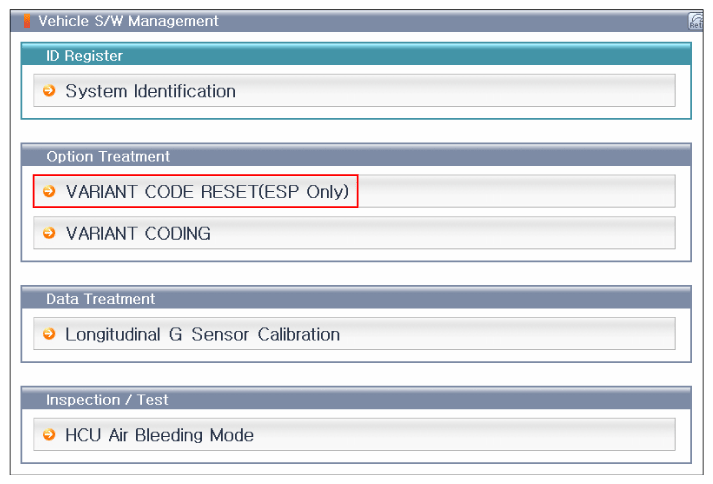 Courtesy of HYUNDAI MOTOR AMERICA