Variant Coding (In Case That The GDS Is Connected To The Internet)
- Connect GDS to Data Link Connector (DLC).
- IG "ON".
- Perform variant coding in Vehicle S/W Management menu of the GDS. (Fig 1)
- Fill in blanks with VIN number of the vehicle correctly. (Fig 2)
- Check whether current variant code corresponds to the options which are applied to the vehicle. (Fig 3)
- IG "OFF" and wait for about 10 seconds, and then IG "ON". Go to "Variant Code Reset" Procedure.
NOTE:
In case that the state of HAC is enabled, operate "Longitudinal G Sensor Calibration" by GDS. (refer to C1285 )
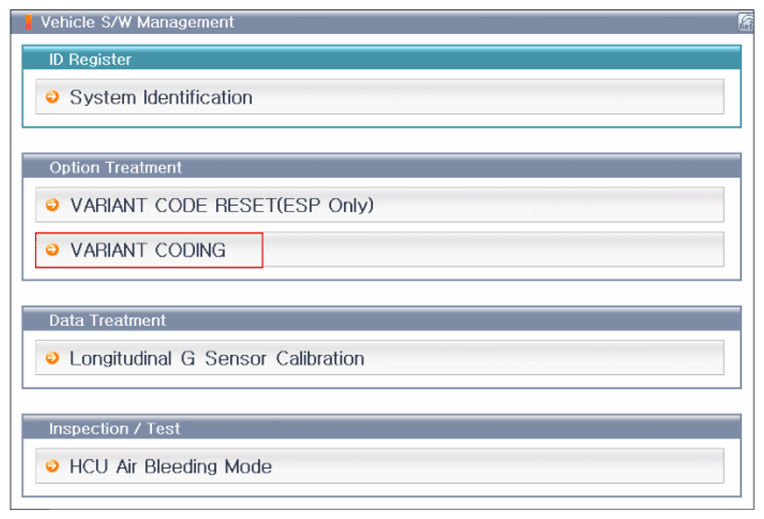 Courtesy of HYUNDAI MOTOR AMERICA
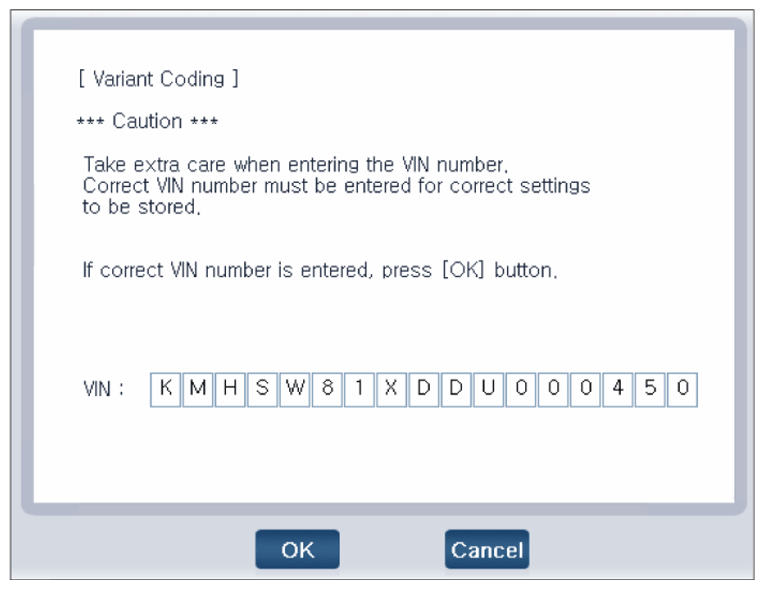 Courtesy of HYUNDAI MOTOR AMERICA
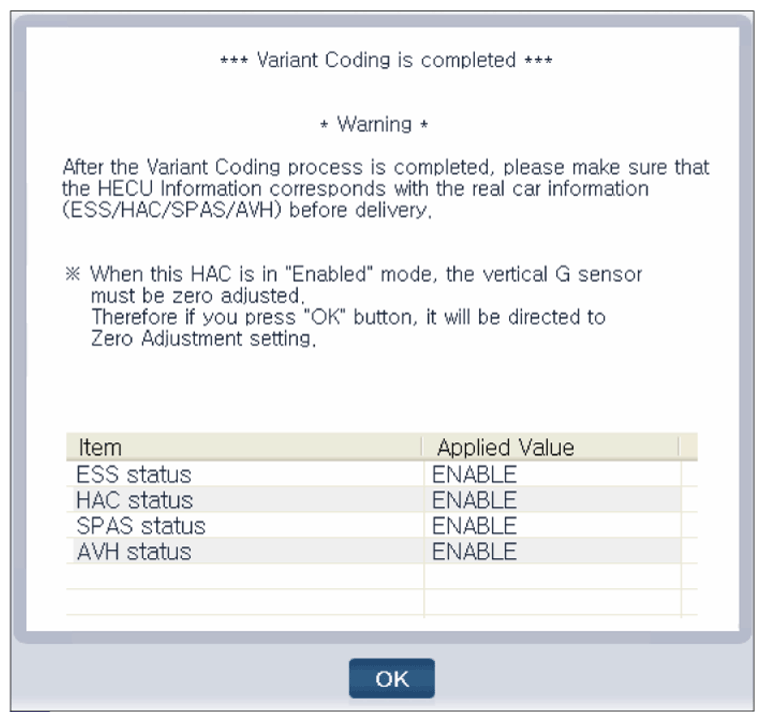 Courtesy of HYUNDAI MOTOR AMERICA