Removal Procedure
 Courtesy of GENERAL MOTORS CORP.
- Apply the park brake.
- Position the steering column shift lever in the NEUTRAL position.
- Raise the vehicle. Refer to Lifting and Jacking the Vehicle
in General Information.
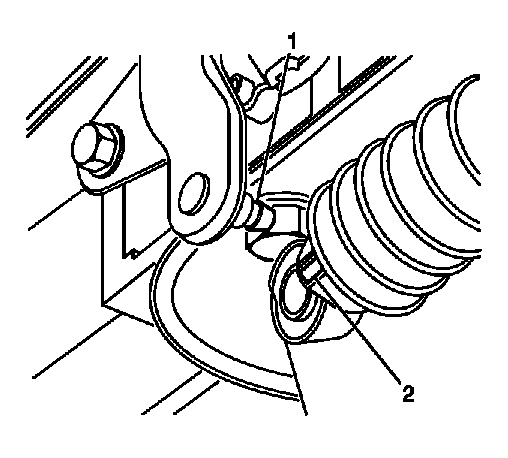
- Disconnect the range selector cable (2) from the range selector lever ball stud (1).
 Courtesy of GENERAL MOTORS CORP.
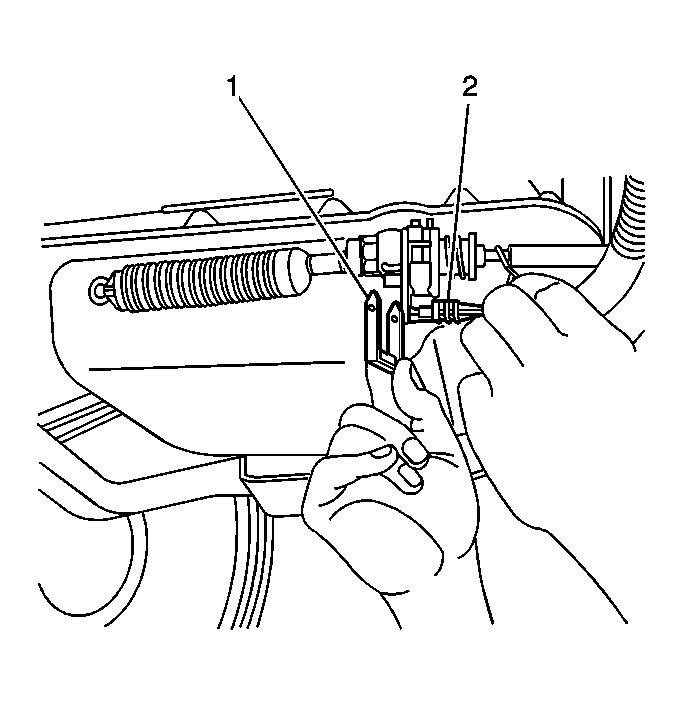
- Remove the positive assurance pin (2) from the bracket.
- Remove the retainer (1) from the range selector cable and transmission bracket.
- Depress the tangs and remove the range selector cable from the bracket.
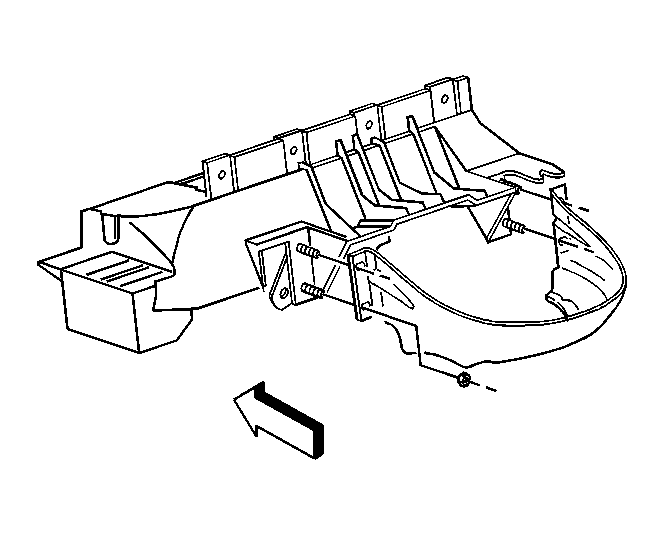
- Remove the transfer case shield, if equipped. Refer to the appropriate procedure:
 Courtesy of GENERAL MOTORS CORP.
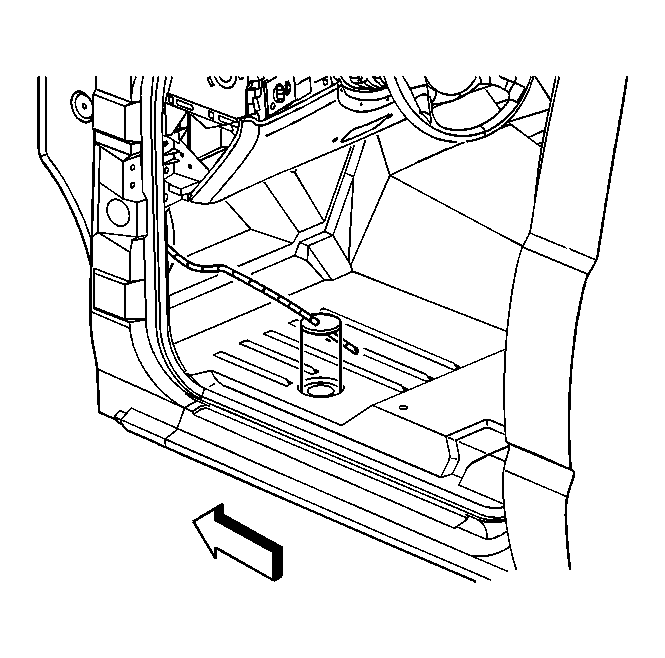
- Push the range selector cable grommet up through the floor panel of the vehicle.
- Lower the vehicle.
 Courtesy of GENERAL MOTORS CORP.
- Remove the instrument panel trim and knee bolster. Refer to Knee Bolster Replacement
in Instrument Panel, Gages, and Console.
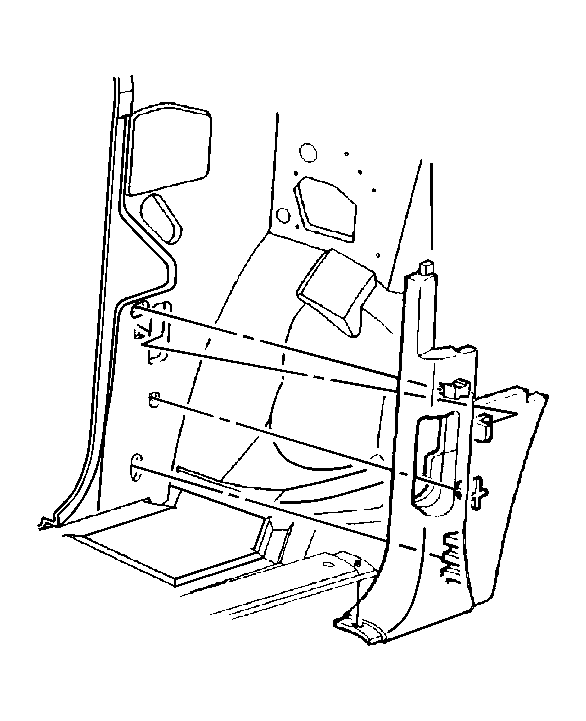 Courtesy of GENERAL MOTORS CORP.
- Remove the door sill plate and the left hinge pillar trim panel. Refer to Trim Panel Replacement - Left Hinge Pillar
in Interior Trim.
- Place the drivers seat in the most rearward position.
- Pull back the carpet and insulation around the driver's area.
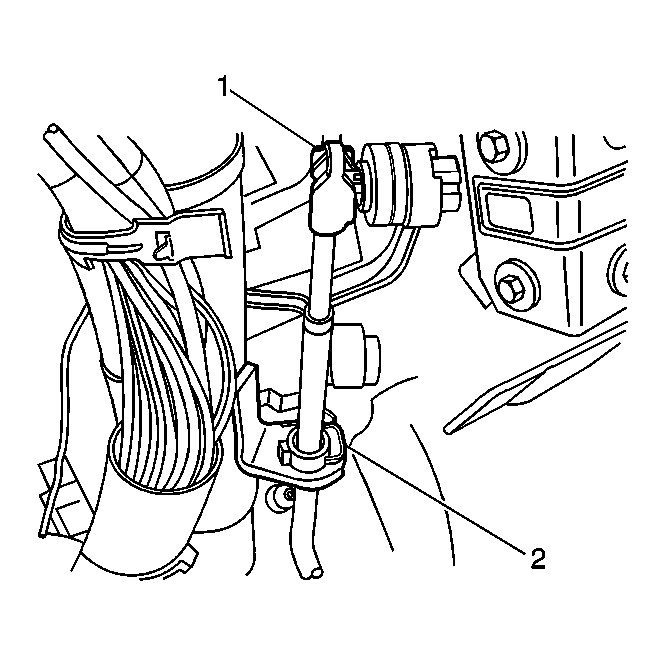 Courtesy of GENERAL MOTORS CORP.
- Remove the cable end (1) from the steering column ball stud.
- Remove the retainer (2) securing the cable to the steering column bracket.
- Depress the tangs and remove the cable from the steering column bracket.
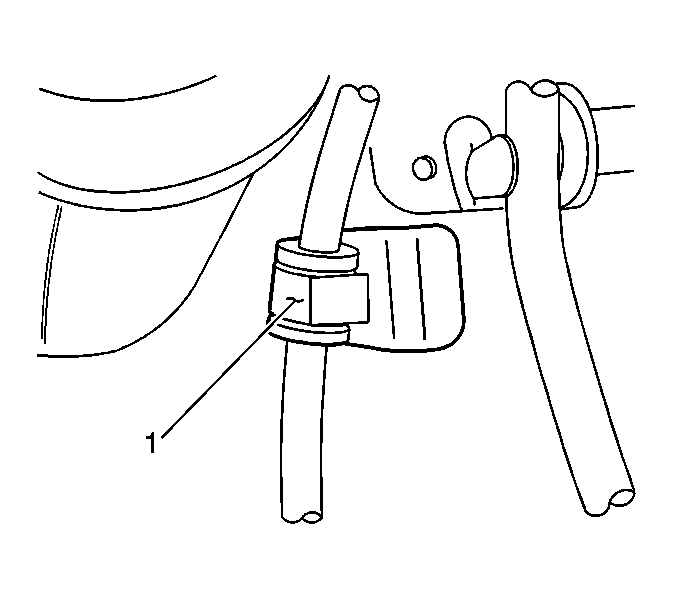 Courtesy of GENERAL MOTORS CORP.
- Remove the cable from the retainer (1) located next to the accelerator pedal.
- Remove the sound deadening material from the floor panel that covers the cable.
- Pull the cable up through the opening in the floor panel and remove the cable from the vehicle.