Blank Display Or "CCD" Displayed
- Ensure ignition is off. Disconnect Compass/Mini-Trip Computer (CMTC) connector. Using DVOM, measure resistance between ground and terminal No. 5 (Black/Violet wire) on CMTC harness connector. See Fig 1. If resistance is less than 10 ohms, go to next step. If resistance is 10 ohms or greater, repair open in Black/Violet wire.
- Turn ignition on. Using DVOM, measure voltage at terminal No. 6 (Light Green/Red wire) on CMTC harness connector. If voltage is 10 volts or less, repair open in Light Green/Red wire between CMTC module and fuse No. 9 in Power Distribution Center (PDC). If voltage is greater than 10 volts, go to next step.
- Using DVOM, measure voltage at terminal No. 7 (Pink/Dark Blue wire) on CMTC harness connector. If voltage is 10 volts or less, repair open in Pink/Dark Blue wire between CMTC module and fuse No. 5 in junction block. If voltage is greater than 10 volts, go to next step.
- Connect a jumper wire between ground and terminal No. 2 (White/Black wire) on CMTC module connector. Using scan tool, read CCD bus status. If scan tool displays BUS SHORTED TO GROUND, go to next step. If scan tool does not display BUS SHORTED TO GROUND, repair open in White/Black wire.
- Move jumper wire to terminal No. 1 (Violet/Pink wire) on CMTC module connector. Using scan tool, read CCD bus status. If scan tool displays BUS SHORTED TO GROUND, replace CMTC module. See appropriate ANALOG INSTRUMENT PANELS article. If scan tool does not display BUS SHORTED TO GROUND, repair open in Violet/Pink wire.
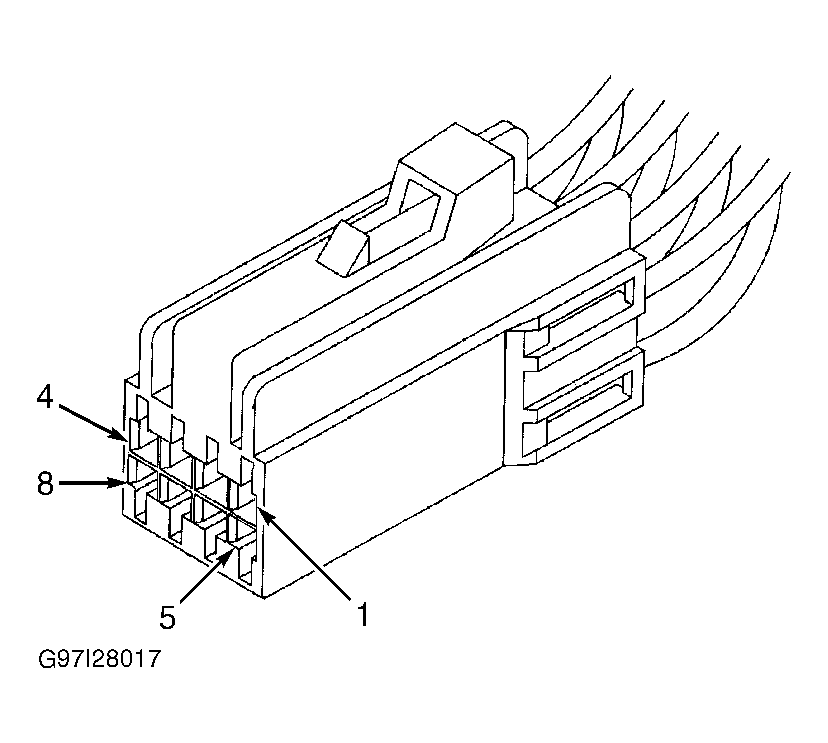 Courtesy of CHRYSLER LLC