Removal Procedure
 Courtesy of GENERAL MOTORS CORP.
- Raise and suitably support the vehicle. Refer to Lifting and Jacking the Vehicle
in General Information.
- Support the transmission with a transmission jack.
- Place a drain pan under the vehicle.
- Remove the propeller shaft. Refer to Propeller Shaft Replacement - Rear
in Propeller Shaft.
- Remove the transmission mount. Refer to Transmission Mount Replacement - Rear .
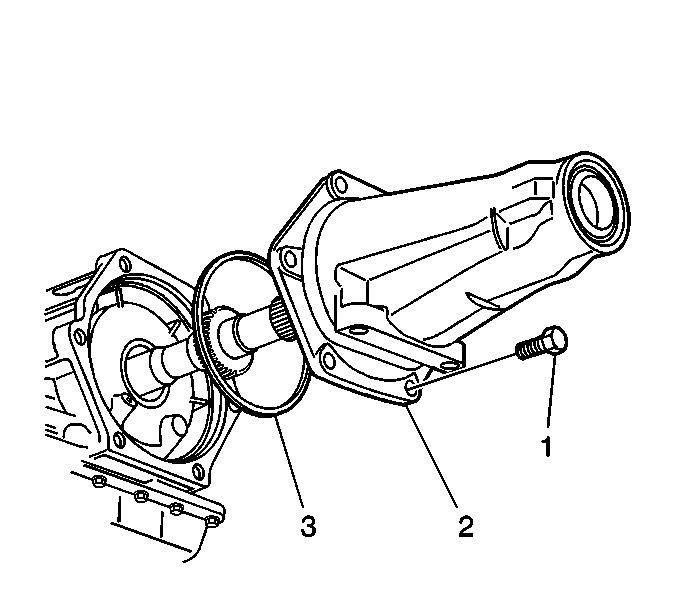
- Remove the case extension bolts (1).
- Remove the case extension (2).
- Remove and discard the case extension O ring seal (3).