Removal Procedure
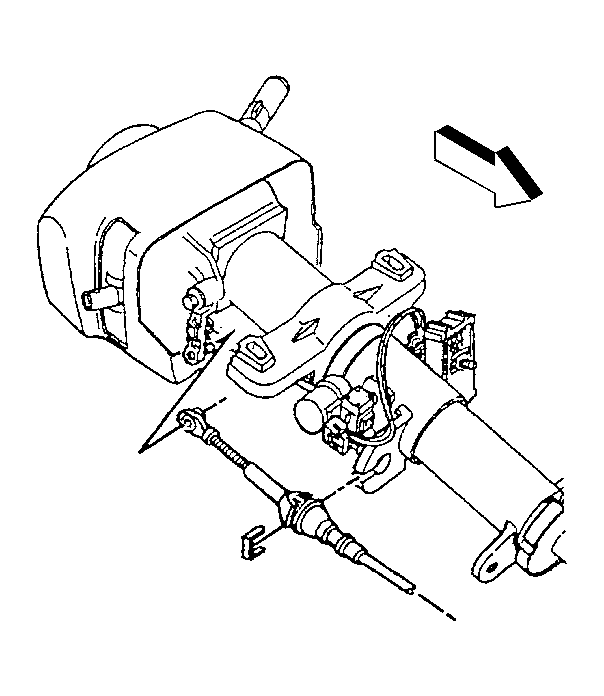 Courtesy of GENERAL MOTORS CORP.
- Block the drive wheels and place the vehicle in the neutral position.
- Remove the drivers side knee bolster. Refer to Knee Bolster Replacement - Left
in Instrument Panel, Gages, and Console.
- Remove the bottom half of the steering column trim cover. Refer to Steering Column Trim Covers Replacement
in Steering Wheel and Column.
- Remove the range selector cable end from the steering column shift controller ball stud.
- Remove the clip that secures the range selector cable to the steering column bracket.
- Remove the range selector cable from the steering column bracket.
- Raise the vehicle. Refer to Lifting and Jacking the Vehicle
in General Information.
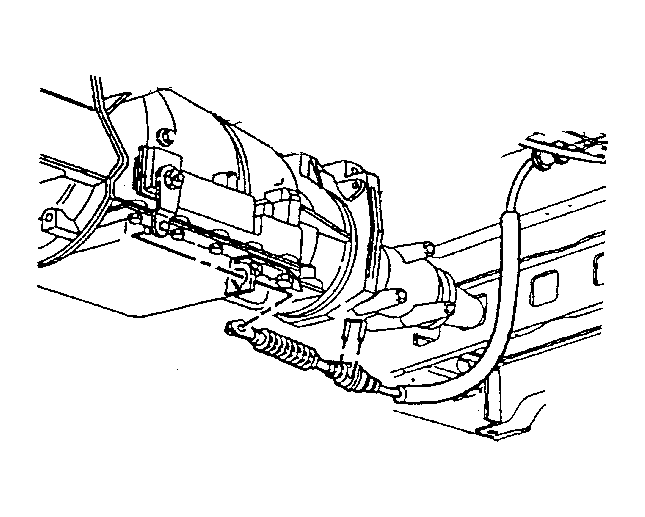 Courtesy of GENERAL MOTORS CORP.
- Remove the range selector cable end from the transmission range selector lever stud ball.
- Remove the clip from the bracket that secures the range selector cable to the transmission.
- Remove the range selector cable from the bracket.
- Remove the three range selector cable clips from the body.
- Remove the grommet from the hole in the floor panel.
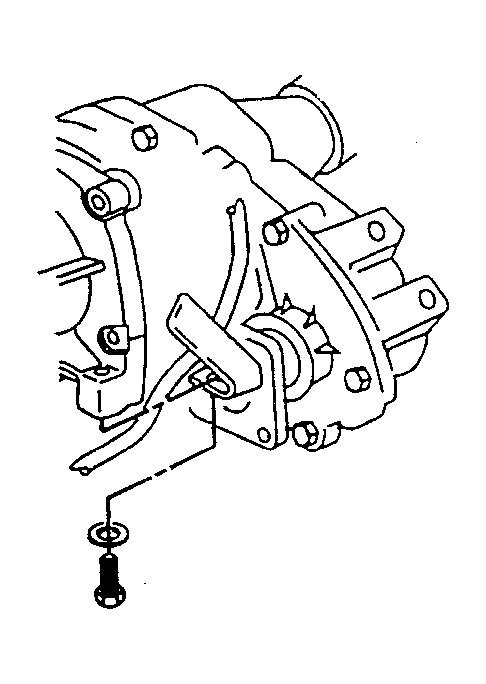 Courtesy of GENERAL MOTORS CORP.
- If the vehicle is equipped with a transfer case, remove the bolt and washer securing the clip and the range selector cable to the transfer case.
- Remove the range selector cable from the vehicle.