Accelerator Controls Cable Bracket: Installation
- Position the accelerator cable bracket on the throttle body. Install the accelerator cable bracket nut and bolts. Tighten the bolts/nut in sequence to specification. See Fig 3. See TORQUE SPECIFICATIONS .
- Install the wire harness into the retainer. Install the air cleaner intake duct. See AIR CLEANER INTAKE DUCT under AIR INDUCTION SYSTEMS.
- Connect the accelerator cable to the throttle body lever. Connect the accelerator cable to the accelerator cable bracket. Connect the cruise control cable from the throttle lever and accelerator bracket, if applicable.
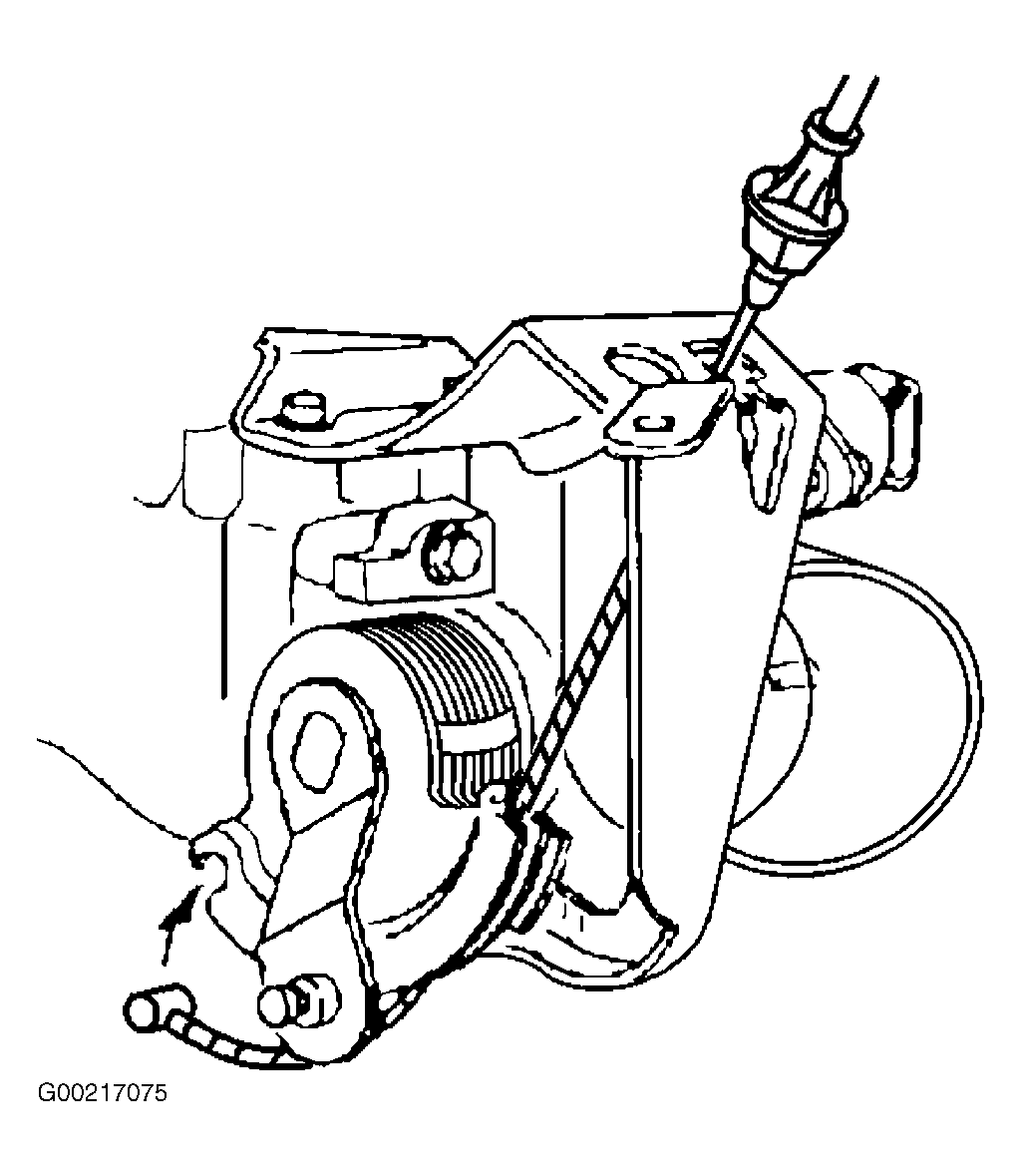 Courtesy of GENERAL MOTORS CORP.
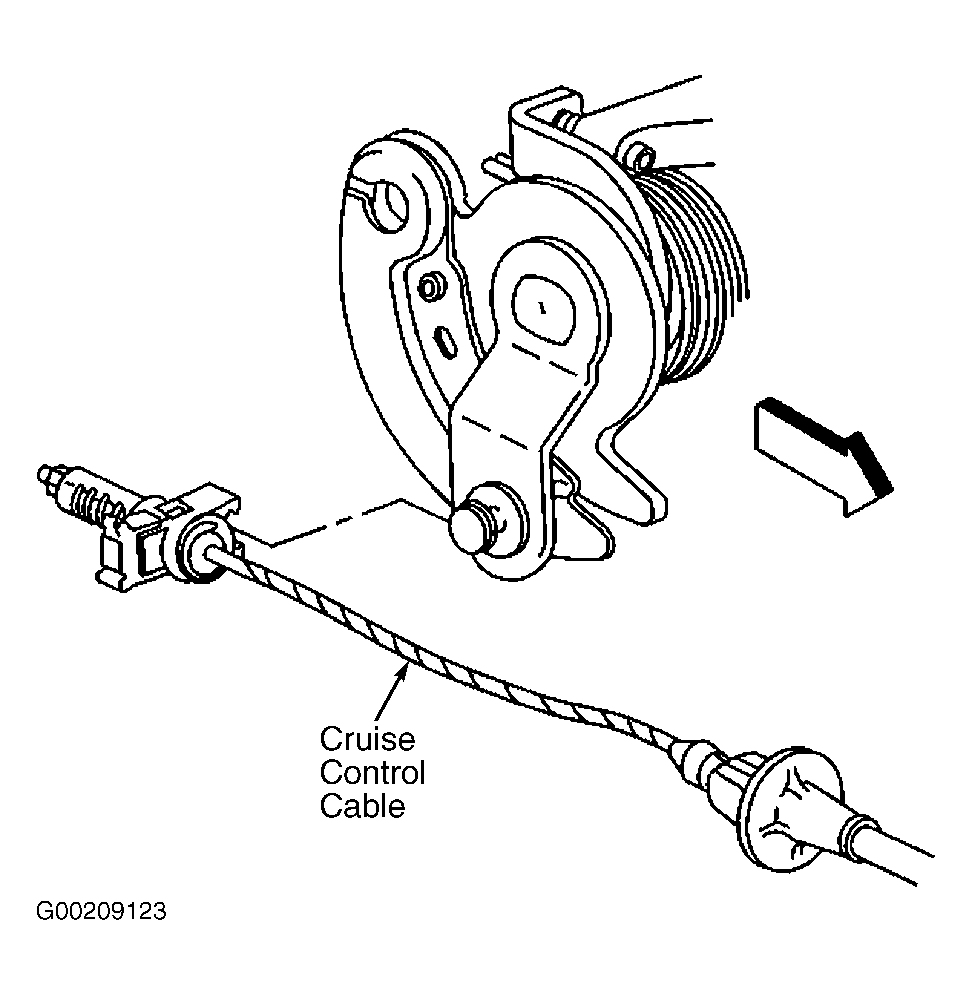 Courtesy of GENERAL MOTORS CORP.
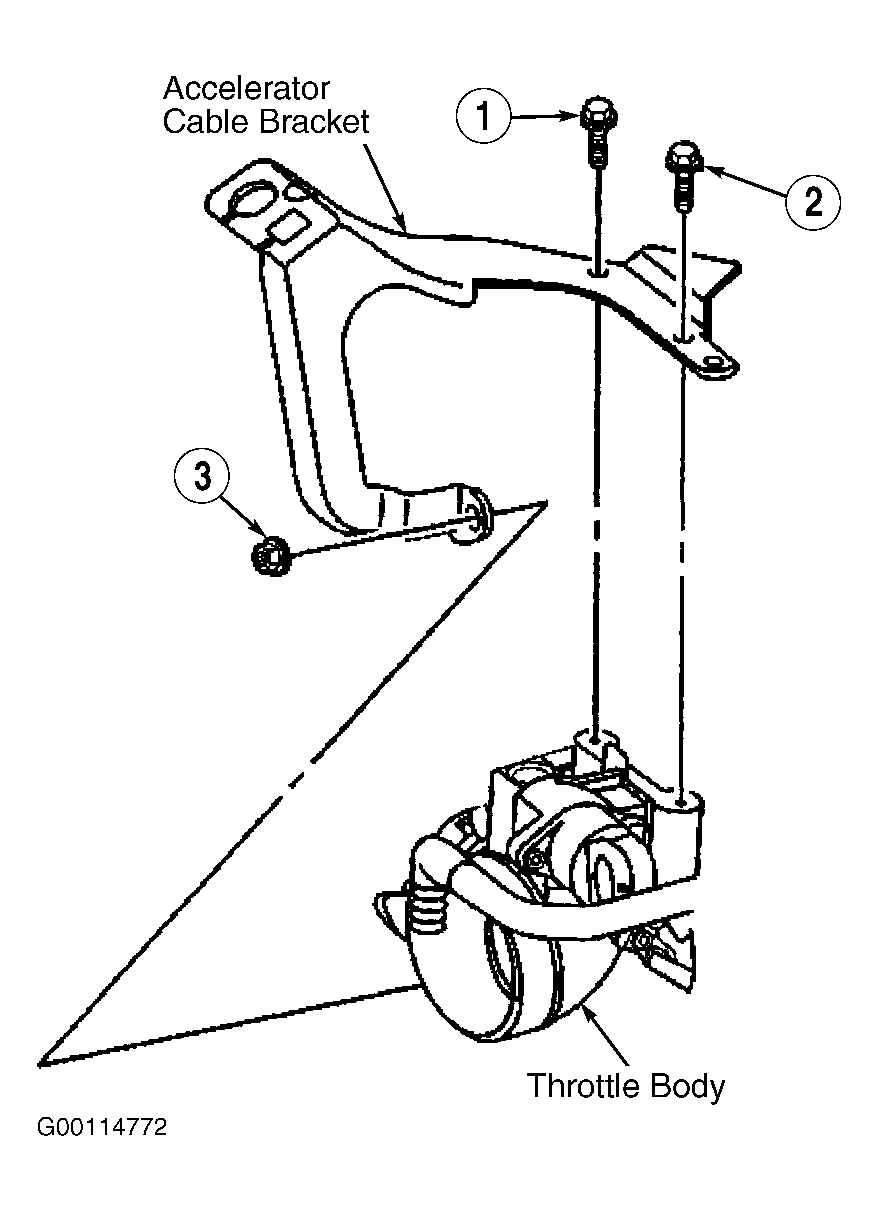 Courtesy of GENERAL MOTORS CORP.