Test 8: Washer Does Not Operate
- Disconnect front washer pump connector. Connect a test light between washer pump connector terminals "A" and "B". Activate washer switch. If test light is off, go to next step. If test light is on, check for poor washer pump connector terminal connection. If connection is okay, replace washer pump.
- Connect test light between front washer pump connector terminal "A" and ground. Activate washer switch. If test light is off, go to next step. If test light is on, repair open in Black wire between washer motor connector terminal "B" and ground located at right side of instrument panel, secured on underside of cross-car beam, to left of heater-A/C vent.
- Connect test light between connector C201 terminal E5 and ground. See Fig 1
. If test light is on, check for an open in Red wire between washer motor connector terminal "A" and windshield wiper/washer switch. If test light is off, check for poor connection at connector C201, terminal E5 (Red wire) located to left side of steering column, near base. If connection is okay, replace windshield wiper/washer switch.
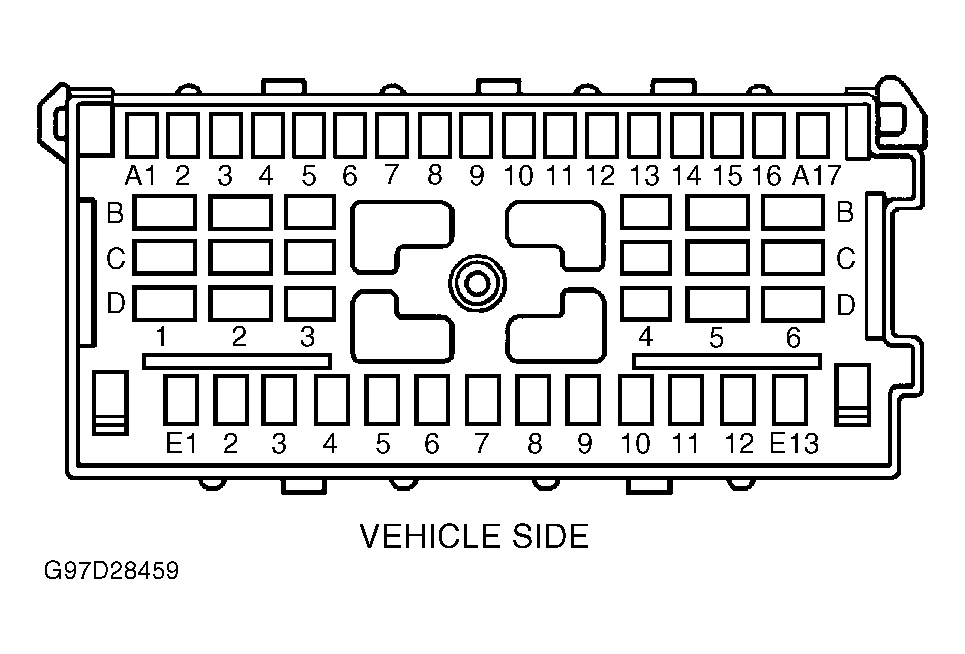 Courtesy of GENERAL MOTORS CORP.